
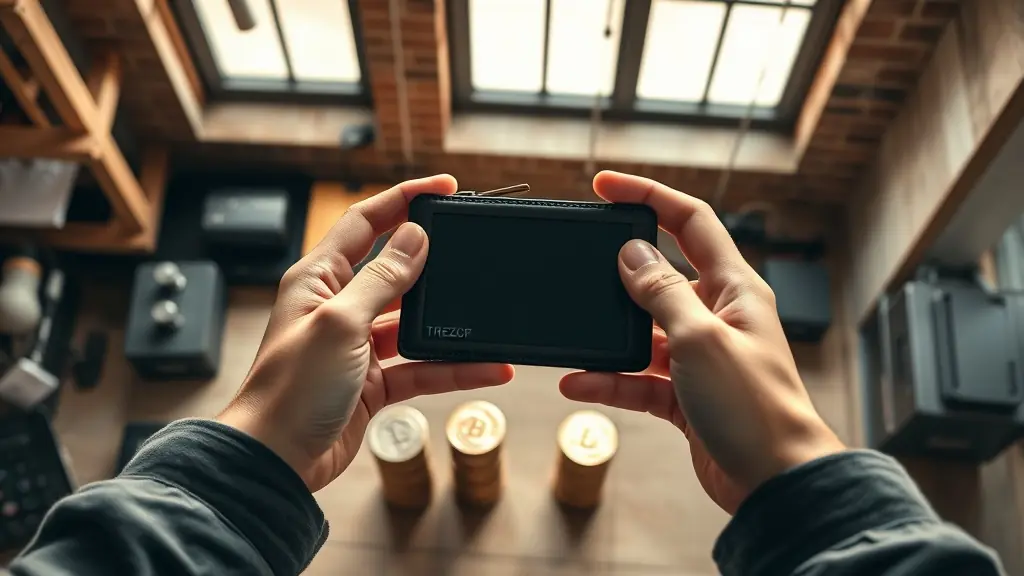
Ledger and Trezor are both leading hardware wallets for US investors, each with distinct advantages. Ledger offers Bluetooth connectivity in models like the Nano X, making it easier to manage assets on mobile devices. Trezor, with its touchscreen interface in models like the Trezor Model T, emphasizes user-friendliness. Security features are robust in both, but Ledger's larger market share (over 5 million devices sold) may provide additional confidence. Ultimately, your choice should depend on your preferences for mobility versus interface usability.
Are you confused about which hardware wallet to choose for securing your cryptocurrency investments? With the increasing importance of safeguarding your digital assets, selecting the right wallet is crucial. Ledger and Trezor stand out as top contenders, each offering unique features and benefits tailored to different user needs. But how do they stack up against each other, and which one truly provides the best security and user experience? This guide dives into the key aspects of both wallets, helping you make an informed decision that aligns with your priorities and investment strategy.
Overview of Ledger and Trezor Hardware Wallets
Ledger and Trezor are two of the most recognized names in the hardware wallet market, each offering unique features that cater to different user preferences. Ledger's current models, such as the Nano X and Ledger Stax, come equipped with Bluetooth connectivity, allowing users to manage their digital assets conveniently from mobile devices. This feature is particularly appealing for those who value mobility and ease of access without sacrificing security. With over 5 million devices sold globally, Ledger has established a robust presence in the self-custody tool space.
Trezor, on the other hand, offers models like the Trezor Model T and Trezor Safe 5, which are known for their intuitive touchscreen interfaces. These devices provide a user-friendly experience, making it easier for both newcomers and seasoned crypto enthusiasts to navigate their wallets. Trezor has garnered more than 1 million users, showcasing its popularity and reliability among those seeking secure storage solutions.
Both brands prioritize security, employing advanced protocols to safeguard users' private keys and digital assets. Ledger utilizes a proprietary Secure Element chip in its devices, which adds an extra layer of protection against potential threats. Similarly, Trezor incorporates open-source software that allows for community scrutiny and transparency, ensuring that any vulnerabilities can be quickly identified and addressed. This commitment to security is crucial in an industry where risks are prevalent.
In summary, while Ledger focuses on connectivity with models like the Nano X and Stax, Trezor emphasizes usability through its touchscreen technology in models like the Model T. Each device has its strengths, making them suitable for different types of users based on their needs and preferences. As you consider which hardware wallet aligns best with your requirements, weighing these features against your priorities will help you make an informed decision.
Security Features: Ledger vs. Trezor
When it comes to security, both Ledger and Trezor employ distinct measures to protect users' assets. Ledger utilizes a secure element chip, which is a critical component for safeguarding private keys. This chip is certified by Common Criteria EAL5+, indicating a high level of security that meets rigorous international standards. This certification reassures users that their sensitive information is stored in a tamper-resistant environment, making it significantly harder for hackers to access private data.
On the other hand, Trezor takes a different approach with its open-source firmware. This transparency allows the community to audit the code regularly, identifying vulnerabilities and improving security through collective scrutiny. By enabling public reviews, Trezor fosters trust among its users, as anyone can verify the integrity of its software. This open model means that any security flaws can be quickly addressed, giving users confidence in their device's safety.
Both devices support two-factor authentication (2FA), adding an extra layer of protection against unauthorized access. 2FA requires users to provide additional verification beyond just their password, which significantly decreases the likelihood of account breaches. While Ledger offers 2FA through various third-party applications, Trezor integrates this feature directly into its ecosystem, simplifying the user experience while enhancing security.
Additional Security Features
- Backup and Recovery: Ledger provides recovery phrases during setup, allowing users to restore their wallets if lost or damaged.
- Password Protection: Both wallets allow users to set up PIN codes for added security against unauthorized access.
- Firmware Updates: Regular updates from both companies ensure that any newly discovered vulnerabilities are patched promptly.
In summary, Ledger's use of a secure element chip with EAL5+ certification offers robust hardware security, while Trezor's open-source model encourages community involvement in maintaining software integrity. Both wallets have implemented effective measures like 2FA and regular updates to enhance user protection further. Ultimately, the choice between them may come down to personal preferences regarding transparency versus hardware-based security features.
User Experience and Interface: Which is More User-Friendly?
When comparing the user experience of Ledger and Trezor, one must consider the design and functionality of their interfaces. Ledger's products, such as the Ledger Nano X and Ledger Stax, are built to cater to a wide range of users, from novices to seasoned crypto enthusiasts. The Ledger Live app allows for seamless management of various cryptocurrencies, making it intuitive for users to navigate through their assets. Its clean layout and advanced features, like staking and swapping directly from the interface, provide a robust experience that appeals to both beginners and advanced users.
On the other hand, Trezor emphasizes simplicity in its setup process. With models like the Trezor Model T, which features a color touchscreen, users can enjoy a more visual experience. This touchscreen not only enhances navigation but also allows for easier input of recovery phrases during setup. The straightforward interface reduces barriers for first-time users, making it easy to get started with self-custody. For those who prioritize an uncomplicated onboarding experience, Trezor's approach might be more appealing.
Customer support is another critical aspect when assessing user experience. Ledger offers a comprehensive help center along with community forums where users can seek assistance or share tips. However, some users have reported slower response times via direct support channels compared to what they would prefer during urgent situations. In contrast, Trezor provides dedicated email support and an extensive FAQ section that covers many common issues efficiently. Users often find Trezor’s responses quicker and more personalized.
Ultimately, both brands excel in different areas of user experience. Ledger provides a powerful tool for those looking to manage multiple cryptocurrencies with advanced features while still being accessible to newcomers. Meanwhile, Trezor focuses on delivering a straightforward setup process with an emphasis on ease of use. Depending on your preferences—whether it's the depth of features or simplicity in getting started—either option could be suitable for your needs.
Supported Cryptocurrencies: Ledger vs. Trezor
When it comes to the range of cryptocurrencies supported, Ledger and Trezor both offer impressive options, but there are notable differences. Ledger stands out with support for over 1,800 cryptocurrencies, making it one of the most versatile hardware wallets on the market. This extensive support includes popular assets like Bitcoin (BTC), Ethereum (ETH), and a wide variety of altcoins. Users can take advantage of Ledger's ability to manage multiple cryptocurrencies from a single device, which simplifies the experience for crypto enthusiasts.
Trezor, while slightly behind in terms of sheer numbers, still boasts support for over 1,600 cryptocurrencies. This includes many of the same major coins as Ledger, providing solid options for users looking to store their digital assets securely. Both wallets are designed to allow easy integration with various software wallets, enabling users to manage their holdings seamlessly across different platforms.
A key feature of Ledger's Nano X is its compatibility with third-party apps. This model supports over 1,000 tokens through these applications, further expanding its usability for those looking to invest in lesser-known cryptocurrencies or participate in decentralized finance (DeFi) projects. This flexibility allows users to engage with a vast array of tokens while ensuring their assets remain secure within the hardware wallet.
Trezor also integrates well with various software platforms, allowing users to connect their wallets with services like MetaMask and Coinbase Wallet. This functionality enhances the user experience by providing access to decentralized applications (dApps) and other crypto services directly from the wallet. With both devices supporting a wide range of cryptocurrencies and integration capabilities, they cater well to different user needs.
Comparison Summary
- Ledger: Supports over 1,800 cryptocurrencies; Nano X allows access to 1,000+ tokens via third-party apps.
- Trezor: Supports over 1,600 cryptocurrencies; integrates seamlessly with multiple software wallets.
Ultimately, both Ledger and Trezor provide robust options for cryptocurrency storage and management. The choice between them may come down to personal preferences regarding specific token support or user interface features.
Pricing Comparison: Is Ledger or Trezor More Affordable?
When it comes to choosing a hardware wallet, price can significantly influence your decision. The Ledger Nano X, one of the most popular models from Ledger, is priced around $149. This device is known for its Bluetooth capability and user-friendly interface, making it a solid choice for both beginners and experienced users. Its combination of features and affordability positions it well in the market.
On the other hand, Trezor offers a more premium option with its Model T priced at approximately $219. This wallet boasts a touchscreen display and supports a wide range of cryptocurrencies, providing additional functionality. While the higher price may deter some users, many find that the advanced features justify the cost, especially if they plan to store various assets securely.
Both manufacturers have also introduced lower-cost alternatives to cater to different budgets. For instance, the Trezor Safe 5 is available for around $69. This model offers basic security features suitable for those new to cryptocurrency or those who don't need extensive functionalities. With its more accessible price point, it allows users to enter the world of self-custody without breaking the bank.
In addition to these models, both companies provide various options at different price levels. Ledger has introduced devices like the Ledger Stax and Ledger Flex, which cater to different user needs while maintaining competitive pricing. Similarly, Trezor has options like the Trezor Safe 3 that are aimed at consumers seeking reliable security without overspending.
Ultimately, the choice between Ledger and Trezor often comes down to individual requirements and budget constraints. While Ledger's offerings tend to be more affordable on average, Trezor's higher-priced models come with features that some users may find indispensable. Assessing what you value most in a hardware wallet—be it price, features, or ease of use—will help guide your decision-making process.
Which is more secure, Ledger or Trezor?
Both Ledger and Trezor offer robust security features, including secure elements and passphrase protection. Ledger devices use a unique operating system called BOLOS, which isolates apps from each other. Trezor, on the other hand, is open-source, allowing for community audits to enhance transparency. Ultimately, the security offered by both brands is strong, but the choice may depend on personal preference for closed versus open-source systems.
How do I set up a Ledger or Trezor wallet?
To set up a Ledger wallet, download the Ledger Live app and follow the on-screen instructions to initialize your device and create a PIN. For Trezor, connect the device to your computer and visit trezor.io/start to begin setup using Trezor Suite. Both processes involve writing down a recovery seed for account recovery.
What cryptocurrencies can I store on Ledger and Trezor?
Ledger supports over 1,800 cryptocurrencies including Bitcoin, Ethereum, and XRP. Trezor also supports a wide range of coins, though its list is slightly shorter with around 1,000 supported assets. Both wallets frequently update their supported coin lists to include new cryptos.
What is the price difference between Ledger and Trezor?
The pricing varies across models; for instance, the basic Ledger Stax is around $119 while the advanced Ledger Flex can go higher. In comparison, Trezor's entry-level Safe 5 is priced at $69 while its premium Model T can cost upwards of $219. The choice often depends on budget and desired features.
Making an Informed Choice Between Ledger and Trezor
The decision between choosing a Ledger or Trezor wallet largely hinges on individual preferences regarding features, security philosophies, and budget considerations. Both brands offer a range of models catering to different needs—from beginners seeking straightforward security to experienced users requiring advanced functionalities.
Ledger's offerings generally provide more cost-effective solutions while maintaining strong security measures with their proprietary operating system. Meanwhile, Trezor emphasizes transparency with its open-source approach and offers higher-priced models that include more comprehensive features. Evaluating what you prioritize—whether it's price sensitivity or specific technological aspects—will ultimately guide you towards the most suitable hardware wallet.
In short, both companies excel in delivering secure storage options for cryptocurrencies but cater to slightly different user priorities. By identifying your own requirements and matching them with what each brand offers, you can confidently select a hardware wallet that best aligns with your crypto management strategy.