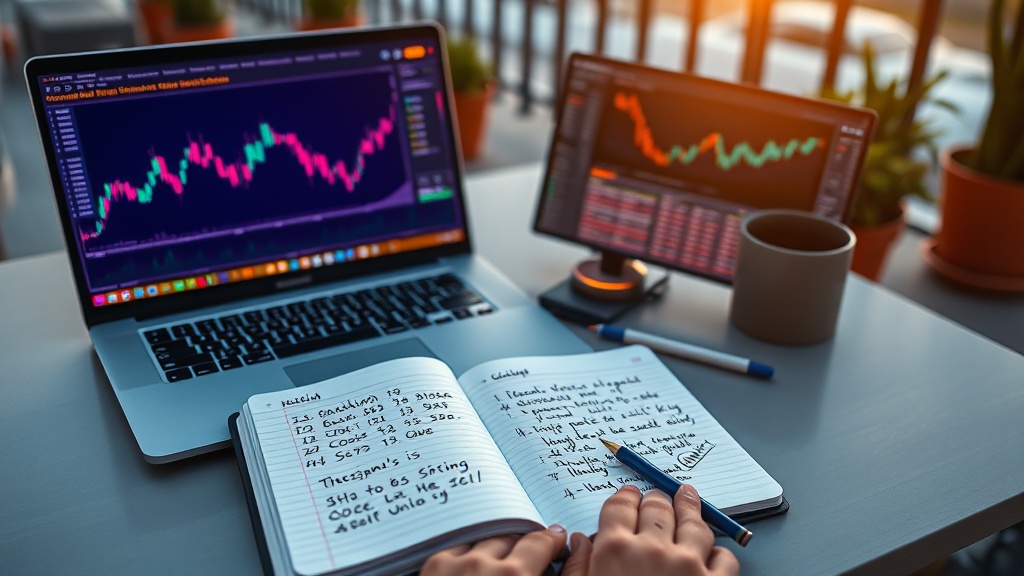
To swap tokens on Uniswap, first connect your Ethereum wallet (like MetaMask) to the Uniswap interface. Ensure you have ETH for gas fees. Select the tokens you want to swap, entering the amount of Ethereum you wish to trade for your desired altcoin. Review the transaction details, including slippage tolerance, then confirm the swap. After the transaction is processed on the Ethereum blockchain, your new tokens will appear in your wallet. Always verify token contracts to avoid scams.
Have you ever wanted to trade your Ethereum for a new altcoin but felt overwhelmed by the process? You're not alone. With the rise of decentralized exchanges like Uniswap, swapping tokens has become more accessible yet still daunting for many. This guide breaks down the steps to swap tokens on Uniswap, ensuring you avoid common pitfalls and grasp essential tips tailored for US users. Whether you're a seasoned trader or a newcomer, understanding how to navigate Uniswap efficiently can open up a world of opportunities in the crypto market. Ready to simplify your trading experience?
Understanding Uniswap: The Basics of Decentralized Exchanges
Decentralized exchanges (DEX) are platforms that allow users to trade cryptocurrencies directly with one another without the need for a central authority. Unlike centralized exchanges, which act as intermediaries, DEXs facilitate peer-to-peer transactions through automated smart contracts. This model enhances privacy and control over funds, making it a popular choice among users who prioritize security and autonomy in their trading activities.
Uniswap is one of the most prominent DEXs in the decentralized finance (DeFi) ecosystem. It operates by utilizing liquidity pools instead of order books, which are commonly used by centralized platforms. Users can provide liquidity to these pools by depositing pairs of tokens, earning a portion of the trading fees generated whenever someone swaps tokens in that pool. This model not only democratizes access to trading but also incentivizes users to contribute their assets to enhance market depth.
One of Uniswap's standout features is its current version, Uniswap v3, which was launched in May 2021. This version introduced concentrated liquidity, allowing liquidity providers to allocate their capital within specific price ranges. This innovation means that traders can achieve better price execution, while liquidity providers can earn higher returns on their investments compared to previous versions or traditional exchanges. Additionally, Uniswap v3 offers multiple fee tiers, enabling users to choose how much they want to earn based on their risk tolerance.
The benefits of using Uniswap over centralized exchanges are manifold. For starters, users retain full control over their private keys and funds, reducing the risk associated with hacks or insolvency that can occur on centralized platforms. Moreover, trading on Uniswap is often more accessible since it doesn't require a lengthy registration process or KYC (Know Your Customer) checks. This opens up opportunities for a broader audience to participate in the crypto market.
In summary, Uniswap plays a key role in reshaping how people trade cryptocurrencies by leveraging decentralized technology and innovative features like concentrated liquidity. As more users become aware of the advantages associated with DEXs like Uniswap, we can expect continued growth and evolution within the DeFi space.
Setting Up Your Wallet for Uniswap Transactions
To start swapping tokens on Uniswap, you'll need a compatible self-custody tool. Two of the most recommended options are the Ledger Nano X and the Trezor Model T. Both devices offer top-notch security features, enabling you to store your cryptocurrencies safely. The Ledger Nano X supports Bluetooth connectivity, allowing you to manage your assets on-the-go with a mobile device. Meanwhile, the Trezor Model T features a touchscreen interface that makes navigation straightforward, enhancing user experience. Choosing between them often comes down to personal preference regarding design and usability.
Once you've selected your device, the next step is connecting it to Uniswap. First, ensure that you've installed the necessary software for your wallet on your computer or mobile device. For Ledger users, this typically involves using Ledger Live to manage your account and apps. Trezor users will need to use the Trezor Bridge or Trezor Suite for connection. After setting up, go to the Uniswap website and click on "Connect Wallet." Select your wallet type from the list provided and follow the prompts to authorize the connection. This process may require you to confirm transactions directly on your wallet’s screen.
Before diving into token swaps, it's crucial to ensure that your wallet is adequately funded with Ethereum (ETH) for gas fees. Gas fees are transaction costs paid to miners for processing transactions on the Ethereum network. Typically, you'll want to have a minimum of $5-$10 worth of ETH in your wallet, although this can vary based on network congestion and demand at any given time. During peak hours, fees can spike significantly; therefore, checking current gas prices using tools like Etherscan can help you budget accordingly.
After connecting your wallet and ensuring sufficient ETH for gas costs, you're ready to start swapping tokens on Uniswap. Remember that while trading might seem straightforward, it’s essential to double-check transaction details before confirming any swap. Mistakes can lead to lost funds or unintended trades due to slippage settings or incorrect token selections.
Tips for Managing Your Wallet
- Regularly update wallet firmware for security enhancements.
- Consider creating a backup of your recovery seed phrase in a secure location.
- Monitor gas prices before executing trades to avoid high fees.
Step-by-Step Token Swapping Process on Uniswap
Swapping tokens on Uniswap is a straightforward process, but it’s essential to follow the steps carefully. First, you’ll need to select the tokens you want to trade. Start by connecting your wallet, whether it’s Coinbase Wallet, MetaMask, or another compatible option. Once connected, navigate to the "Swap" feature on the Uniswap interface. In the "From" section, choose the token you currently hold and wish to exchange. In the "To" section, select the token you want to receive in return. Ensure that both tokens are supported on the platform.
Next, understanding slippage tolerance is crucial for a successful swap. Slippage refers to the difference between the expected price of a trade and the actual executed price. On Uniswap, slippage can occur due to market fluctuations or low liquidity for certain trading pairs. Typically, setting your slippage tolerance between 1-3% is advisable for most transactions. A lower percentage might lead to failed transactions in volatile markets, while a higher percentage could result in unexpected losses.
After setting your slippage tolerance, you can proceed to confirm your transaction. Review all details carefully before clicking on "Swap." This step includes checking the amount you’re exchanging, the estimated amount of tokens you'll receive in return, and any associated fees. If everything looks good, click “Confirm Swap.” Your wallet will prompt you to approve the transaction; ensure that you have enough ETH (or another gas fee) in your wallet to cover this cost.
Once confirmed, it may take a moment for your transaction to be processed on the Ethereum blockchain. You can monitor its status using an Ethereum block explorer like Etherscan by entering your wallet address or transaction hash. It’s not uncommon for swaps to take anywhere from a few seconds to several minutes depending on network congestion.
To ensure a smooth experience and avoid potential pitfalls during token swaps, always double-check your settings and consider testing with smaller amounts first if you're unfamiliar with a particular token pair.
Following these steps will help you navigate token swapping effectively on Uniswap while minimizing risks associated with slippage and transaction failures. With practice, you'll become more comfortable with executing trades quickly and efficiently.
Common Mistakes to Avoid When Swapping Tokens on Uniswap
Swapping tokens on Uniswap can be a straightforward process, but several common mistakes can lead to significant losses. One of the most overlooked aspects is gas fees. Many users ignore the fluctuations in these charges, which can vary dramatically depending on network congestion. For instance, during peak times, gas fees can soar above 100 Gwei, making a seemingly profitable transaction turn into a loss due to excessive costs. Always check current gas prices before executing a swap to avoid unexpected charges eating into your profits.
Another critical mistake is not double-checking token contracts before swapping. Scammers often create fake tokens that closely resemble legitimate ones, tricking users into swapping their assets for worthless tokens. For example, in 2022 alone, over $1 billion worth of crypto was lost to scams involving fake token contracts. To protect yourself, always verify the contract address through reputable sources like CoinGecko or Etherscan before proceeding with any swap.
Setting unrealistic slippage tolerance is another common pitfall that can result in failed transactions or unexpected losses. Slippage refers to the difference between the expected price of a trade and the actual price at which the trade is executed. If your slippage tolerance is set too low, your transaction might fail altogether if market conditions change slightly during execution. Conversely, setting it too high could lead you to accept unfavorable prices. Research shows that around 30% of transactions fail due to slippage issues, particularly when users set their tolerances without considering market volatility.
Tips for Avoiding These Mistakes
- Regularly monitor gas prices using tools like Gas Station Network (GSN).
- Always verify token addresses through trusted platforms before making swaps.
- Set slippage tolerance based on recent market conditions; a range of 0.5% to 1% is generally safer.
By being mindful of these common pitfalls—gas fees, scam contracts, and slippage tolerance—you can enhance your experience and safety while swapping tokens on Uniswap. Taking these precautions not only protects your assets but also increases your chances of successfully executing profitable trades.
Tracking Your Token Swaps for Tax Reporting
When it comes to token swaps, understanding IRS requirements is essential for compliance. The Internal Revenue Service treats cryptocurrencies as property, meaning that any trade or swap can trigger capital gains taxes. This applies whether you're swapping one token for another or converting crypto into fiat currency. If you make a profit on your transactions, you’ll need to report these gains on IRS Form 8949, which is specifically designed for reporting capital asset transactions. The form requires details like the date of acquisition, date of sale, and gain or loss from each transaction.
To simplify the process of tax reporting, consider using Koinly, a crypto tax calculator that can help you track your transactions efficiently. Koinly integrates with various exchanges and wallets to automatically import your trading history. It calculates your gains and losses based on current market values, ensuring accurate reporting on Form 8949. This software also generates a tax report that you can submit directly to the IRS, making it easier to stay compliant with tax regulations.
Keeping thorough records of all your token swaps is crucial not only for accurate reporting but also for substantiating your claims in case of an audit. Each time you swap tokens, document the transaction details: the type of tokens exchanged, their fair market values at the time of the swap, and any fees incurred during the process. This information will help you calculate your gains or losses accurately and provide a clear picture of your trading activities throughout the year.
Best Practices for Record-Keeping
- Document Every Transaction: Log each swap with dates, amounts, and values to ensure accurate reporting.
- Use Crypto Tax Software: Tools like Koinly can automate tracking and calculations.
- Regularly Review Your Records: Periodically check that all transactions are logged correctly to avoid surprises at tax time.
By following these practices and utilizing tools designed for crypto tax reporting, you can ensure that you're prepared when tax season rolls around. Remember that failing to report gains accurately can lead to penalties, so staying organized is paramount.
What is Uniswap and how does it work?
Uniswap is a decentralized exchange (DEX) that allows users to trade cryptocurrencies directly from their wallets without the need for a central authority. It operates using liquidity pools, where users provide funds in pairs of tokens, enabling others to swap between them while earning a portion of the trading fees.
How do I connect my wallet to Uniswap?
To connect your wallet to Uniswap, first ensure you have a compatible wallet like MetaMask installed. Visit the Uniswap website, click "Connect Wallet," and choose your wallet provider. Follow the prompts to authorize the connection, granting Uniswap access to interact with your wallet for token swaps.
What are gas fees on Uniswap?
Gas fees on Uniswap are transaction costs paid to Ethereum network miners for processing and validating transactions. These fees can vary significantly based on network congestion and transaction complexity. Monitoring gas prices can help you choose optimal times for conducting swaps at lower costs.
How do I report token swaps on my taxes?
To report token swaps on your taxes, keep detailed records of each transaction, including dates and values. Using a crypto tax calculator like Koinly can simplify this process by automatically tracking transactions and calculating gains or losses for accurate tax reporting.
Navigating Token Swaps with Confidence
The ability to swap tokens seamlessly on platforms like Uniswap offers unprecedented flexibility for traders. However, understanding the intricacies of decentralized exchanges and maintaining meticulous records are essential components of successful trading. By leveraging tools designed specifically for crypto tax reporting, such as Koinly, traders can streamline their record-keeping efforts and ensure they remain compliant with tax regulations.
While the process may seem daunting initially, following best practices such as documenting every transaction and regularly reviewing records can mitigate potential pitfalls. Ultimately, armed with the right knowledge and tools, you can confidently engage in token swaps, optimizing your trading strategy while staying organized for tax season.